


Houston Chronicle
4.3473.00 Reviews
App Specs
- Version
- 202608.28
- Updated On
- License
- Free
- Downloads
- 50,000+
- Developer
- Hearst Newspapers - LLC
- Categories
- News & Magazines
- Platform
- Android
Screenshots
 Analysis by AppCompare
I find the Houston Chronicle app most useful in a household where people want different things from local news. One person may check the Astros, another may follow city politics, and someone else may just want a quick look at what is happening around Houston. Instead of passing a single newspaper section around, each reader can open the same app and choose what to read. That makes it a practical shared-device option, though it works best when everyone is clear about whose account is signed in.
A shared device works best with simple boundaries
If a tablet or phone is used by more than one person, I would treat the app as a shared reading place rather than assume that every reader has a separate private profile. The setup offers a sign-in option, and browsing headlines can be done without signing in, so a casual reader can look around without taking over another person’s account. Before anyone changes account details or starts a paid plan, I’d check who is logged in and agree on who manages those choices.
That small bit of coordination matters because news preferences and account access are not the same thing. One person might want alerts about sports while another prefers to read quietly without notifications. I would settle those preferences before handing the phone around, rather than expecting the app to sort out household roles on its own. For a family device, keeping account decisions with one adult and letting others browse the available coverage is a sensible middle ground.
Useful for Houston routines, not every news habit
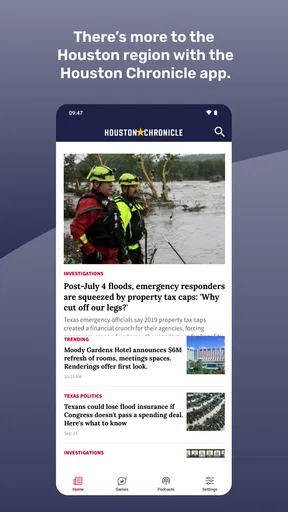
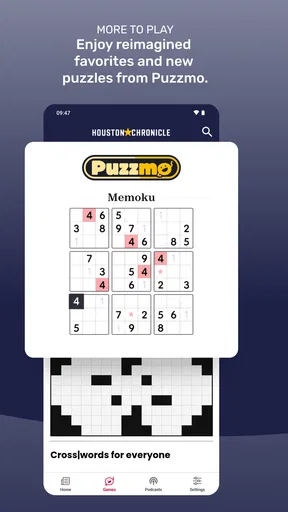
The strongest reason to keep this app around is its local focus. I can see it fitting into a morning routine: check Houston headlines over breakfast, save an interesting story for a commute, then look at sports later when there is time. The coverage spans subjects that often matter in the same household, including local news, politics, sports, food and puzzles. A reader who wants a single place to check several Houston-related interests may find that more convenient than opening separate sites or relying on a broad national news feed.
It is less compelling if your main goal is a wide-ranging national or international briefing. In that case, I’d pair it with a general news source rather than expect a city newspaper app to cover every topic in equal depth. Likewise, someone who only wants scores may prefer a dedicated sports app, while a reader who wants a mix of local reporting and newspaper-style browsing has a clearer reason to try this one.
Keeping expectations grounded
As a news app, it is worth judging by whether its coverage fits your interests and whether you enjoy reading on a phone, not by how many alerts it can send. I would keep notifications selective if they start interrupting work or family time, and use a deliberate check-in instead of treating every update as urgent. Offline reading can also be useful when planned ahead: save stories while connected, then open them during a journey or in a place where reception is unreliable.
There is a practical distinction between trying the app and committing to paid access. It is free to install, while in-app purchases range from $5.99 to $14.99 per item. I’d browse first and decide whether the extra access is worth it for the amount and type of reading I actually do. That is a better approach than assuming a subscription is necessary just because the app offers one.
Worth Reading Before You Choose

EA SPORTS FC Mobile 26 Is a Bigger Football Game, but It Takes Time

Flipboard Shows What News Apps Must Do Beyond the Feed

Switching to Android Auto Means Rethinking Your Driving Routine

Google Calendar Makes a Crowded Week Easier to Manage

Ludo King Makes the Most of the Minutes Between Plans

Baby Panda World Brings Quick Play to Modern Phones, but Its Game Library Feels Busy
Hey there! So, I recently got my hands on the Houston Chronicle app, and I must say, it’s been quite the experience. If you’re someone who loves to stay updated with the latest news, this app could be right up your alley. Let me walk you through my journey with it.
Getting Started
Downloading the app was a breeze. It's available on both Android and iOS, so no worries about compatibility. Once installed, the setup was pretty straightforward. It asked me to sign up or log in to access personalized features, but you can skip that if you just want to browse headlines.
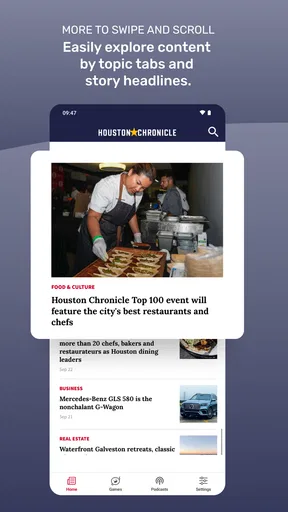
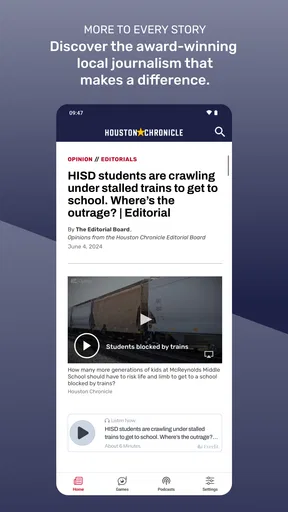
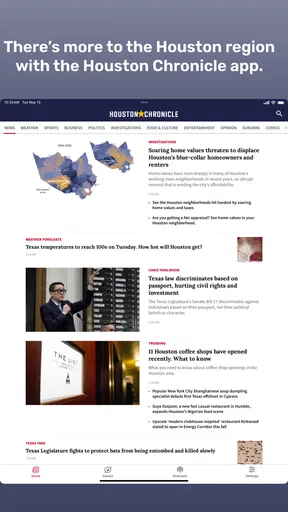
The interface is sleek and user-friendly. You’ll find the main sections like local news, sports, business, and entertainment right at your fingertips. I was particularly impressed with how uncluttered everything felt. No overwhelming ads or distractions!
Features and Functionality
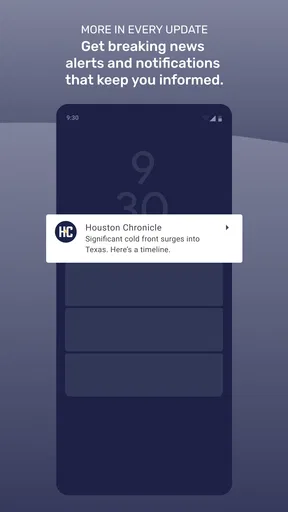
One of the standout features of the Houston Chronicle app is the real-time updates. As someone who loves to stay informed, this is a gem. You get push notifications for breaking news, which is a lifesaver if you’re always on the go like me.
The app also offers an offline mode. This means you can download articles and read them later, even without an internet connection. Handy, right? Especially when you’re stuck in places with spotty Wi-Fi.
Another feature I enjoyed was the ability to customize my news feed. You can select topics that interest you, ensuring your feed is tailored to your preferences. Whether it's politics, tech, or sports, the app has got you covered.
User Experience
Now, let’s talk about the reading experience. The font is easy on the eyes, and articles are well-structured with clear headings and subheadings. There’s even an option to adjust the text size, which is great for those of us who might squint at smaller text. Trust me, your eyes will thank you!
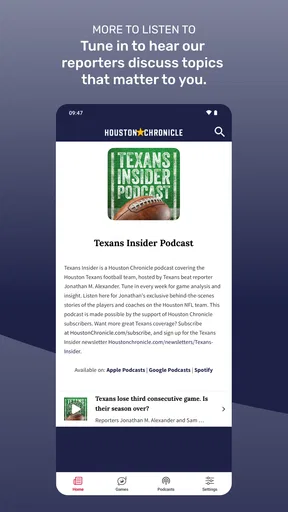
I also appreciated the multimedia elements. Many articles come with photos, videos, or infographics, which add depth to the stories. It’s not just words on a screen; it’s an immersive experience.
Community and Sharing
The app allows you to engage with the content through comments, which can lead to interesting discussions. Plus, you can easily share articles with friends and family via social media or email. Just tap the share icon, and you’re good to go.
For those who love a good debate or discussion, this feature is a plus. It’s always fun to see different perspectives on the day’s hottest topics.
Subscription and Access
While you can access a lot of content for free, there is a subscription model if you want the full experience. This includes premium articles and a completely ad-free experience. If you’re a news junkie, it might be worth considering.
The subscription isn’t overly pricey, and there are often deals and discounts for new users. Plus, supporting journalism is never a bad thing, right?
Final Thoughts
All in all, the Houston Chronicle app is a solid choice for anyone looking to stay informed about the world around them. It’s easy to navigate, offers a wealth of information, and keeps you connected with the latest happenings.
Whether you’re a Houston local or just someone who loves keeping up with the news, this app could quickly become one of your favorites. So, why not give it a try and see for yourself? Happy reading!
Where its local reporting fits among alternatives
I see this as a companion to, rather than a replacement for, the other ways people follow news. A browser search is handy when I need one specific answer, but it can scatter results across outlets and make it harder to return to familiar local coverage. A general news aggregator gives a broader scan, yet its selection can leave Houston stories competing with national headlines. The Chronicle app makes more sense when the local angle is the point: neighborhood developments, city decisions, regional sports, or food coverage I can revisit as part of a regular routine.
That focus is also a trade-off. If I move between cities often or want a single feed covering many regions, I would not rely on a Houston-centered publication alone. I’d use it alongside a broader source, or skip it if local Houston coverage rarely affects my day. The right choice depends less on the number of sections than on whether the stories it surfaces are the ones I actually want to follow.
A better way to manage a busy reading day
One useful workflow is to separate quick checks from longer reading. I can scan headlines when I have a spare minute, then use offline reading for a story I want to finish later rather than trying to read everything as it appears. On a commute, for example, I’d save a few relevant articles while connected and leave video-heavy pieces for a time when I have a stable connection and can give them attention. That makes the app more useful without turning every notification into a demand for immediate action.
Topic choices can help make the feed feel less noisy, but I would revisit them when my interests change. A household following a major local issue may want to emphasize politics for a while, then shift back toward sports or food coverage. The practical tip is to treat customization as something to tune occasionally, not a permanent setup. If the feed feels repetitive, changing what I follow is a better first step than adding more alerts.
Sharing has a different role from household coordination. Sending a story to a relative is useful when the article itself gives context to a conversation, but it does not mean the recipient will have the same access or reading experience. I would share the link or article through the app’s available sharing options and avoid assuming that every recipient has an account or a paid entitlement. For a family discussion, a headline is a prompt; the story’s details still matter.
Reading comfort and the limits of a phone screen
Adjustable text size is a meaningful everyday convenience, especially when a reader wants to keep the phone at a comfortable distance or has trouble with small print. I’d set it once for longer sessions rather than repeatedly pinch and zoom, since a consistent reading size makes the layout easier to follow. The clear article structure also helps when I return to a story after being interrupted: headings can make it easier to find the section I had in mind.
Photos and other media add context, but they also change how suited an article is to a quick read. A text-focused piece may work well in a waiting room, while a video or infographic is better saved for a moment when I can focus and have a reliable connection. I would not judge the whole experience by one story format; the mix is useful, but it means some pieces are more convenient than others in a crowded or low-connectivity setting.
Account, age and trust in a household
The app is published by Hearst Newspapers - LLC, and its age rating is Everyone. That makes it broadly suitable to have available on a shared household device, but an Everyone rating is not a promise that every article will suit every child or every family conversation. News can include serious events and subjects that call for context. I would guide younger readers toward stories they can understand and stay nearby for questions, rather than treating the rating as a substitute for an adult’s judgement.
For adults sharing a device, the main boundary I would keep clear is access to the signed-in account and any purchase decision. The app is free to install, and its current version is 202602.31; it first appeared on October 9, 2018. It has a 4.3 average from around 1.1 thousand ratings, alongside over 50 thousand installs. Those figures suggest it has an established audience, but they do not tell me whether its coverage suits my household, so I would still judge it by the actual stories and reading habits that matter to us.
Because in-app purchases are available, I would not let a shared device turn a casual browse into an unconsidered spending choice. Before using any paid access, I’d make sure the account holder understands what is being purchased and who will use it. That is especially useful when different family members take turns with the same phone: clear expectations prevent confusion about whether a locked article is a one-off purchase, part of an existing plan, or simply something to read another way.
Who will get the most from it
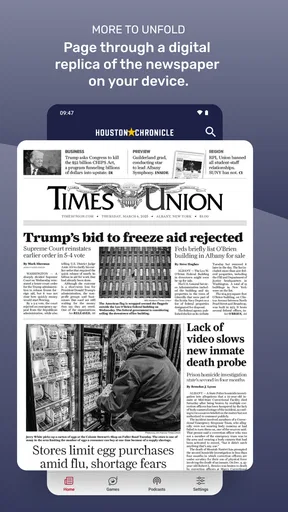
I’d recommend trying the app if Houston is home, if local stories shape your decisions, or if you like a newspaper-style mix that can move from civic news to sports and food in one place. It can also suit a former Houston resident who wants a familiar local lens, provided they understand that it is not designed to replace broad national coverage. The combination of topic selection, alerts, and offline reading gives different kinds of readers a way to make the app fit short check-ins or more deliberate sessions.
I would steer away from it if you want only a comprehensive world-news briefing, dislike reading on a phone, or prefer not to manage notifications and account choices. A dedicated sports service may be better for someone interested only in live scores, and a general aggregator may suit someone who wants headlines from many publishers at once. The Chronicle is most convincing when its particular local perspective is the reason you opened it, not when you expect one app to answer every news need.
A household verdict grounded in routine
For a shared home, I’d keep the app available if at least one person regularly wants Houston reporting and the household can agree on basic account boundaries. Let each reader browse what interests them, keep sign-in and purchases with the account holder, and use notifications sparingly enough that they remain helpful. Those habits make the app easier to share without pretending it offers family controls or separate household profiles.
My recommendation is therefore a measured one: start by browsing, adjust the topics to match real interests, and see whether the local coverage earns a regular place in your day. The app is not a universal news desk, and a free install does not mean every piece of content will be available on the same terms. But for a household that wants a convenient window on Houston and appreciates being able to read at its own pace, it is a practical option worth trying.
Pros
- Comprehensive local news coverage.
- User-friendly interface design.
- Customizable notification settings.
- Offline reading available.
- Regular updates and improvements.
Cons
- Limited free content access.
- Occasional app crashes reported.
- Ads can be intrusive at times.
- Subscription required for full access.
- Loading times can be slow.
FAQs for Houston Chronicle
What is the Houston Chronicle app and what features does it offer?
The Houston Chronicle app provides users with comprehensive news coverage, including local, national, and international stories. It offers features such as breaking news alerts, access to exclusive articles, multimedia content, and customizable news sections. Users can personalize their experience by selecting topics of interest, ensuring they stay informed about what matters most to them.
Is the Houston Chronicle app available for both Android and iOS devices?
Yes, the Houston Chronicle app is available for download on both Android and iOS platforms. Users can find it on the Google Play Store for Android devices and the Apple App Store for iOS devices. This compatibility ensures that a wide range of users can access the app's features and content seamlessly.
Does the Houston Chronicle app require a subscription to access its content?
While the Houston Chronicle app is free to download, accessing premium content typically requires a subscription. Users can view a limited number of articles for free each month, but subscribing provides unlimited access to all articles, exclusive reports, and special features, making it ideal for those who want comprehensive coverage.
How can I customize my news feed on the Houston Chronicle app?
The Houston Chronicle app allows users to customize their news feed by selecting preferred topics and sections. This can be done through the app’s settings, where users can choose categories such as local news, sports, business, and more. Customization ensures that users receive updates on topics they are most interested in, enhancing their reading experience.
What kind of customer support is available for the Houston Chronicle app?
The Houston Chronicle app offers robust customer support to assist users with any issues or inquiries. Users can access support through the app’s settings or the official website, where they can find FAQs, contact information, and live chat options. This ensures that users receive timely help and can enjoy a smooth app experience.


